
It was a quiet Friday afternoon—the weekend in Iran—and a much-anticipated package finally landed on my bench: a brand-new Lab599 Discovery TX-500 transceiver.
The TX-500 is a gorgeous piece of radio engineering: compact, water-resistant, and CNC-machined from a solid block of aluminum. As soon as I hooked up DC power and booted the unit, the splash screen indicated Firmware ver 1.26.10.
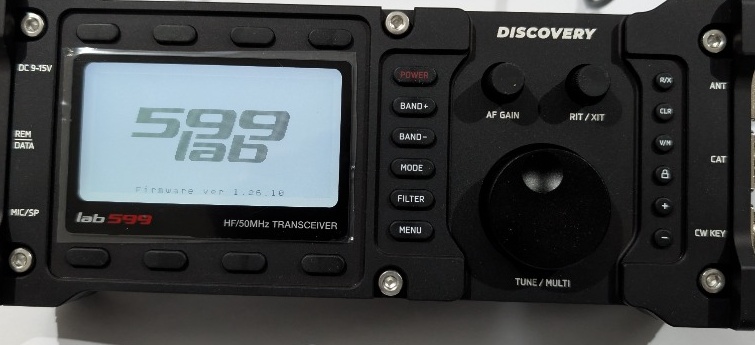
Checking the manufacturer’s portal at lab599.com/downloads, I noticed that Firmware v1.30.00 was available, packing important improvements to DSP filtering, audio levels, and CAT stability.
Naturally, I wanted to upgrade immediately. But then I hit an unexpected snag.
The Roadblock: No Mac Allowed
The official Lab599 firmware update tools are distributed strictly as precompiled executables for Windows and Linux (x86_64).
Now, I have a long-standing, visceral dislike for Windows—I avoid running it whenever humanly possible. And on this particular holiday afternoon, I didn’t have a Linux machine running nearby either. My daily driver is an Apple Silicon Mac.
I could have tried wrestling with a virtual machine, but USB-to-serial passthrough in VMs frequently mangles low-level serial handshakes and bootloader timings.
So instead of looking for a Windows laptop, I decided to give myself a proper weekend challenge:
Can we reverse engineer the official updater protocol and build a 100% native, standalone macOS application to flash the TX-500?
The Roadblocks: “The Firmware is Not Sent”
Entering bootloader mode on the TX-500 is straightforward according to the Lab599 documentation:
- Power off the transceiver.
- Hold down the third top function button (just above the display).
- Press the POWER button.
The backlit LCD woke up with a solitary line of text:
The loader is waiting...
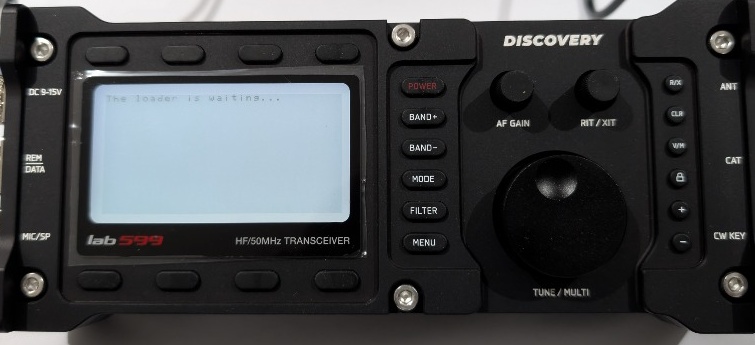
I connected the radio’s 4-pin GX12 CAT cable to my Mac via a USB-to-UART adapter (/dev/cu.usbserial-120).
Initially, I wrote a quick Python test script to pump the .fw file into the serial interface. The result? Total silence. After a short delay, the TX-500 screen updated with a frustrating error:
The loader is waiting...
The firmware is not sent.
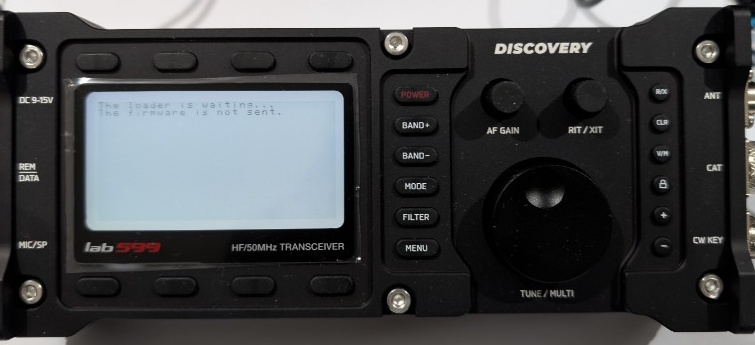
I had hit the wall. The bootloader wasn’t just a dumb byte sink—it required a very specific handshake and pacing mechanism.
Cracking the Bootloader Protocol
To understand what the transceiver was expecting, I analyzed the official Linux 1.0.1 and Windows 1.0.2 binaries.
It turned out that the Lab599 bootloader follows a strict Two-ACK handshake:
| Parameter | Specification |
|---|---|
| Baud Rate | 57600 |
| Framing | 8N1 (8 data bits, no parity, 1 stop bit) |
| Flow Control | None (Hardware & software flow control must be disabled) |
| Header | Exactly 16 bytes beginning with ASCII BL20 |
| First Handshake | Radio verifies header and responds with OK (0x4F 0x4B) |
| Payload Stream | Unfragmented binary stream transmitted without per-packet ACKs |
| Pacing | Host output queue drain via ioctl(..., TIOCOUTQ, ...) |
| Final Handshake | Radio verifies flash checksum and replies with final OK |
The Critical Timing Gotcha
The biggest pitfall was serial buffer pacing. Because the bootloader does not send flow control pulses or intermediate packet acknowledgments while receiving the firmware payload, flooding the UART driver too quickly overflows the internal receive buffer of the transceiver’s MCU. On the other hand, adding arbitrary usleep() delays causes the internal bootloader watchdog to abort.
The reliable solution—matching the official Linux behavior—was using the POSIX TIOCOUTQ ioctl call to monitor the Mac’s serial output FIFO:
// Wait until the kernel serial queue has completely flushed before proceeding
int queued_bytes = 0;
while (ioctl(serial_fd, TIOCOUTQ, &queued_bytes) == 0 && queued_bytes > 0) {
    usleep(1000); // 1 ms yield
}
Once this was in place, the serial communication became rock-solid.
Building the Native macOS Utility
With the protocol verified, I built a complete, standalone macOS Cocoa app in Objective-C: Lab599 Utility (which started as a firmware updater and has since grown to include memory channel editing, full settings backup/restore, time sync, and CAT connection testing).
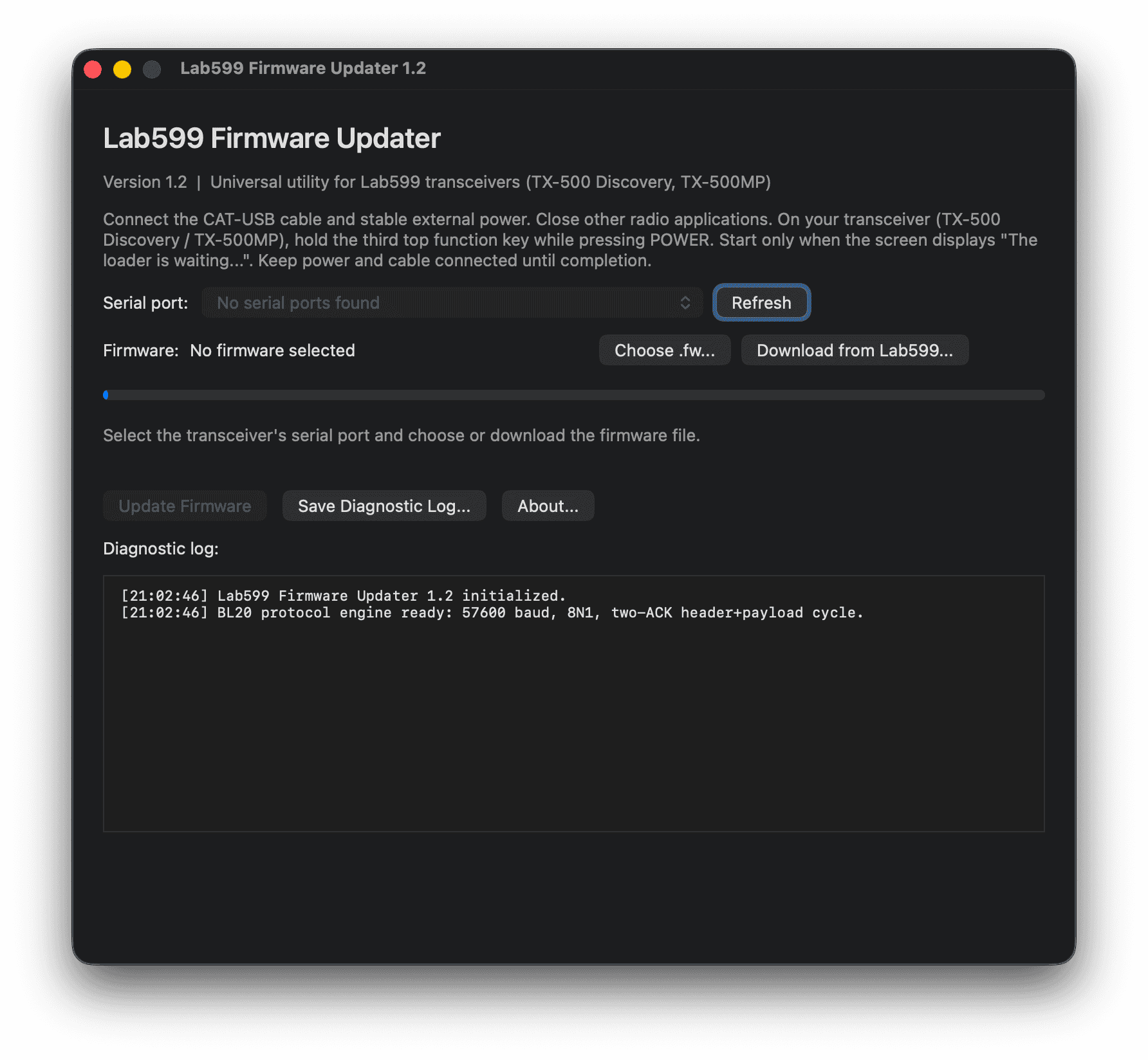
I wanted this tool to be effortless to use in the field:
- Serial Port Auto-Detection: Automatically discovers plugged-in USB-to-UART serial adapters without terminal commands.
- Integrated Online Downloader: The app connects directly to lab599.com/downloads, fetches the official release catalog, displays version numbers and release notes, and lets you download and select the latest
.fwfile with a single click. - Local File Support: Ability to pick any offline
.fwfile with pre-flight header validation. - Safety Guards: Uses
NSProcessInfoto prevent system sleep during a flash, and blocks accidental window closure while the bootloader is active. - Universal Binary: Compiles natively for both Apple Silicon (M1/M2/M3/M4) and Intel Macs.
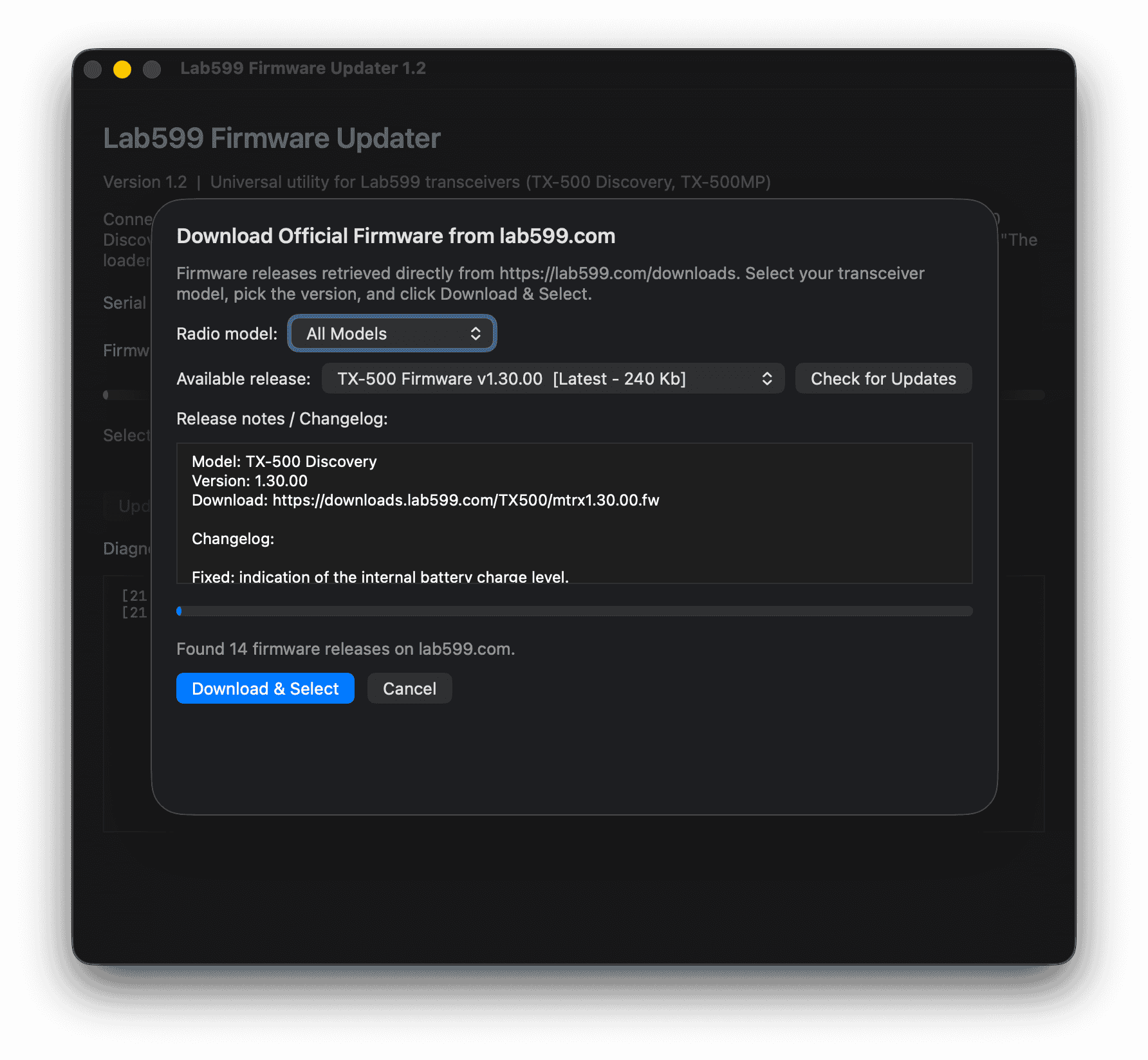
The Moment of Truth
With the utility ready, I connected the TX-500 to a clean 13.8V power supply, put it into bootloader mode, chose firmware v1.30.00, and hit Start Update.
The progress bar filled smoothly as thousands of bytes streamed over the CAT interface. After about twenty seconds, the radio’s serial output returned OK, and the application displayed:
Firmware transfer complete
I turned the radio off, powered it back on, and saw the victory screen:
599 lab
Firmware ver 1.30.00
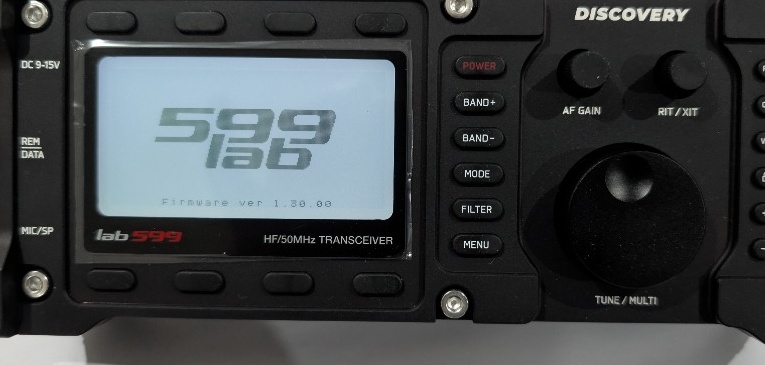
Moments later, the radio was happily listening on the bands:
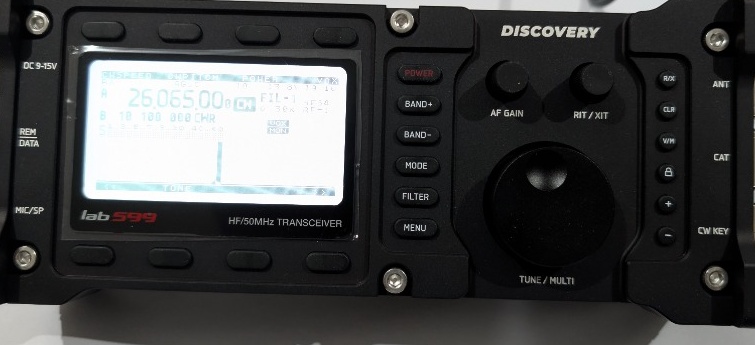
Open Source & Community
I have published the complete project as open source under the MIT license on GitHub:
Download & Source on GitHub: fact0real/Lab599-Utility
Compatibility Notes
- Tested Hardware: I personally tested and verified this software on the Lab599 TX-500 Discovery.
- Other Models: Because Lab599 uses unified communication protocols across its product line, this utility is expected to work seamlessly with the TX-500MP and other Lab599 transceivers.
If you test this tool with your own Lab599 rig, or if you run into any edge cases or questions, feel free to reach out via email at [email protected].
73 de EP2AES
AFTER THE BEEP
Continue the conversation
Comments are kept intentionally quiet for now. Questions, corrections, and signal reports are welcome by email.
Reply by email